7 Tips for Keeping Your Footage Organized, Accessible, and Stored Properly

BY Zacc Dukowitz
26 December 2017

Anyone who works in videography (or photography, for that matter) knows that organization is key.

When you’re dealing with thousands of files—many of which are very similar—if you don’t have a system in place, you’re going to end up wasting time just trying to track down the right clips, which means even more time required on work that is already really time consuming.

In some cases, a lack of organization could even lead to losing or misplacing (which eventually amounts to losing!) crucial footage that you could have used for a project.
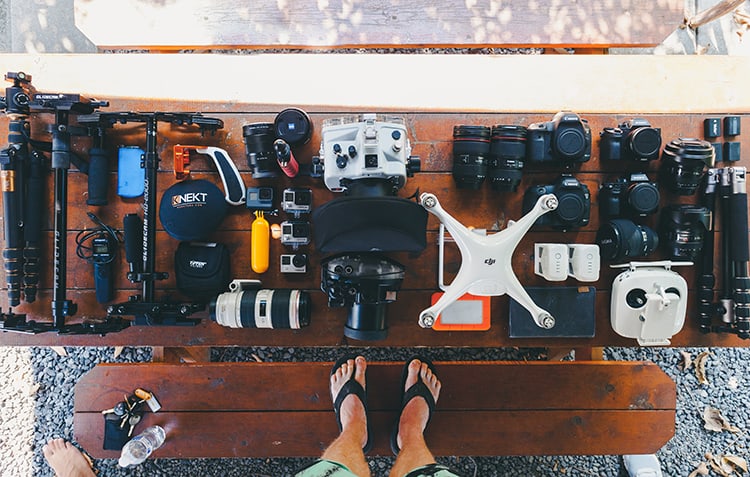
organize-footage-drones
Image source

So how do you stay organized? Here are seven tips and tricks I’ve learned after years of working in aerial cinematography. These are the editing hacks I wish someone had shared with me when I first got started with post-production work on my own aerial video footage. They’ve saved me dozens of hours, and kept my hair from turning prematurely grey.

Hope you find them useful!

[Note: This article was written by Christian Tucci, who has been doing aerial cinematography since he was 12. Christian is a principal at Cinematic Aerospace, where he flies drones and helicopters, and he is the instructor of our partner course, Aerial Post Production 101. Want to take your post-production skills to the next level? Check out Christian’s course here.]

Here are Christian’s seven tips for keeping your drone footage organized.

1. Number Your Hard Drives

If you keep your footage in multiple hard drives, number your drives and keep a spreadsheet of what is on each drive, like listing each event. Maybe group footage together in some way, such as one drive per year (i.e. all the 2017 footage goes on a 2017 drive, stuff filmed in 2016 goes on a drive just for 2016 footage, etc . . .)

2. Use a Naming Convention

After filming, give your file names an event name and date in them. I like to keep the name the camera generated in there too. (i.e., if my drone made a file called “DJI_0458.mov” I’ll rename it to “New_York_Sunset_03042017_DJI_0458.mov”). That way when I’m looking through lists of files I can quickly tell what was filmed and the date.

3. Use a Spreadsheet

Consider making a spreadsheet of the all the files in a particular event folder that lists each file name along with columns for descriptions of video, keywords, etc . . . Really anything you want to track. This could include things like the aircraft and camera the footage was filmed with, frame rate, resolution, etc. All of Cinematic Aerospace’s footage is organized in a database system now, but we originally used a spreadsheet  to organize our footage. You can download my shot log PDF here.

4. Delete Bad Footage

Don’t be afraid to delete footage on the spot that you know is no good. I always review each clip as it’s coming off the memory cards, and if I know I won’t ever use it (because I have a very similar shot that is better, or the shot is messed up for some reason) I will not even bother transferring it to storage. This practice saves storage space, it saves time when you’re going through your files later, and it makes keywording and managing the good files easier.

5. Consider Using a Database

Consider an asset management platform or software if you really want to get fancy with organizing your footage, or you’ll wind up gathering a ton of it over time. Sometimes you have so much footage it becomes very hard to track it all manually with spreadsheets. An actual software database can help tremendously if you can afford it.

6. Link to Your Files

When editing, if your footage will always be “online” (meaning the hard drive is connected and accessible all the time) in their original location, “link” to the files in your editing software instead of copying them into the project folder or file. This can save you space, and helps you make sure you always know where the originals exist.

7. Backup, Backup, Backup

While it may seem obvious and not so much like a big tip . . . BACKUP YOUR FILES. DO NOT learn the hard way what it’s like to lose your footage. Losing footage happens to the best of us, and it always seems to be that perfect, magical moment you happened to capture that gets corrupted or deleted somehow. Buy a decent backup hard drive and save all of your files to it. Avoiding the pain of losing good footage is well worth the price.

drone-footage
Image source

We hope you found these tips useful, and that they help you with organizing your drone footage.

Want to learn more about Christian Tucci’s course, Aerial Post Production 101? Check out Christian’s course here.

Join a global community of

100,000+

drone enthusiasts.

Subscribe

Drone Pilot's Guide to DJI Mini 4 Pro

  • Navigate the DJI Fly app and flight modes with ease
  • Adjust camera and safety settings for better control
  • Understand intelligent flight features and how to use them
  • Avoid common beginner mistakes
  • Get the most out of your drone—without the guesswork

Drone Pilot's Guide to DJI Air 3S

  • Navigate the DJI Fly app and flight modes with ease
  • Adjust camera and safety settings for better control
  • Understand intelligent flight features and how to use them
  • Avoid common beginner mistakes
  • Get the most out of your drone—without the guesswork

Hands-On Flight Training

$295

400+ 5-Star Reviews

  • Team up with a knowledgeable, friendly instructor at a convenient outdoor spot — like a park or athletic field
  • Fly a top-rated drone provided for you, or bring your own to get personalized guidance
  • Spend most of your time in the air with hands-on practice — learning about composition, camera angles and cinematic motion
  • Explore the DJI Fly app and learn how to use camera settings like ISO, shutter speed and aperture
  • Unlock the power of Intelligent Flight Modes to fly smoother, smarter, and with less stress
  • Get access to our Aerial Photo & Video online course with additional exercises and pro-level editing workflows – using Snapseed, Photopea, Adobe Lightroom, DJI LightCut, and Premiere Pro

Aerial Photo & Video for Drone Pilots

$179

3,500+ 5-Star Reviews

  • How to dial in the right camera settings like ISO, shutter speed, and aperture
  • The best angles & altitudes for different types of shots (real estate, landscapes, cityscapes, and more)
  • The secret to cinematic drone motion that makes your footage feel like a Hollywood movie
  • How to enhance colors, remove distractions, and sharpen details – even in tricky lighting
  • Pro-level editing workflows – whether you’re using Lightroom, free tools, or mobile apps

The Recreational UAS Safety Test

Free

150+ 5-Star Reviews

  • Required for U.S. recreational flyers of drones
  • Launched June 2021 by the FAA
  • Takes about 30 minutes to complete
  • No prior drone knowledge needed
  • Test allows unlimited attempts to pass

Drone Mapping Essentials Workshop

$799

3,500+ 5-Star Reviews

  • Expert instruction from expert drone pilots with over 100 hours of flying experience
  • Hands-on training of live data capture and how to process deliverables for your clients
  • Peer-to-peer networking with other professional drone pilots in the mapping industry
  • Free access to the online course, Drone Mapping Essentials

Flight Skills for Drone Pilots

$99

75+ 5-Star Reviews

  • 16 engaging video lectures with key takeaways
  • Action items with concrete steps so you put into practice what you learn
  • Pre-flight checklists to help you plan your flights
  • Resource links to websites, products and software for further learning and discovery

Drone Business & Mapping Bundle

$617 $397

3,500+ 5-Star Reviews

  • Drone Pilot Ground School
    1. 1:1 support with a Part 107 exam success coach
    2. Study 100% online at your own pace
    3. Unlimited practice exams with 400+ real FAA test questions
  • Drone Mapping Essentials
    1. 100+ instructional videos focused on real-world application with high-quality videos
    2. Downloadable resources like data capture checklists to utilize in your missions
    3. Monthly live instruction with course instructor, Dylan Gorman, to go deeper on topics where you need more clarification
  • The Drone Business Blueprint
    1. Expert instruction from industry veteran, Eno Umoh, who brings real-world experience in building successful drone businesses.
    2. 14 Comprehensive modules covering everything from business setup to marketing strategies
    3. 30 Downloadable resources to apply your learning immediately

Hands-On Flight Training

$295

400+ 5-Star Reviews

  • 45-60 minutes of hands-on flying time to master orientation and flight maneuvers tailored to your skill level
  • Learn how to handle obstacles such as lost GPS, low battery charge or emergencies
  • Practice flying under various intelligent flight modes
  • Ask questions about regulations, software, flight operations management, and more

The Drone Business Blueprint

$119

3,500+ 5-Star Reviews

  • Expert instruction from industry veteran, Eno Umoh, who brings real-world experience in building successful drone businesses.
  • 14 Comprehensive modules covering everything from business setup to marketing strategies
  • 30 Downloadable resources to apply your learning immediately
  • AI tools and techniques to boost productivity and streamline your operations

Commercial Drone Business Bundle

$418 $334

4,000+ 5-Star Reviews

  • Drone Pilot Ground School
    1. 1:1 support with a Part 107 exam success coach
    2. Study 100% online at your own pace
    3. Unlimited practice exams with 400+ real FAA test questions
  • The Drone Business Blueprint
    1. Expert instruction from industry veteran, Eno Umoh, who brings real-world experience in building successful drone businesses.
    2. 14 Comprehensive modules covering everything from business setup to marketing strategies
    3. 30 Downloadable resources to apply your learning immediately

Drone Mapping Essentials

$199

3,500+ 5-Star Reviews

  • 100+ instructional videos focused on real-world application with high-quality videos
  • Downloadable resources like data capture checklists to utilize in your missions
  • Quizzes to test your knowledge so you can succeed in the field
  • Monthly live instruction with course instructor, Dylan Gorman, to go deeper on topics where you need more clarification

Drone Pilot Pro Bundle

$713 $499

3,500+ 5-Star Reviews

  • Drone Pilot Ground School
    1. 1:1 support with a Part 107 exam success coach
    2. Study 100% online at your own pace
    3. Unlimited practice exams with 400+ real FAA test questions
  • Drone Pilot Skill Builder
    1. 16 engaging video lectures with key takeaways
    2. Action items with concrete steps so you put into practice what you learn
  • Hands-On Flight Training
    1. 45-60 minutes of hands-on flying time to master orientation and flight maneuvers tailored to your skill level

Drone Pilot Ground School

$299

4,000+ 5-Star Reviews

  • 1:1 support with a Part 107 exam success coach
  • Study 100% online at your own pace
  • Unlimited practice exams with 400+ real FAA test questions
  • Personalized study plans, virtual flashcards, and 12-page cram sheet
  • Weekly webinars on acing the Part 107 exam and monthly webinars to elevate your journey post-certification