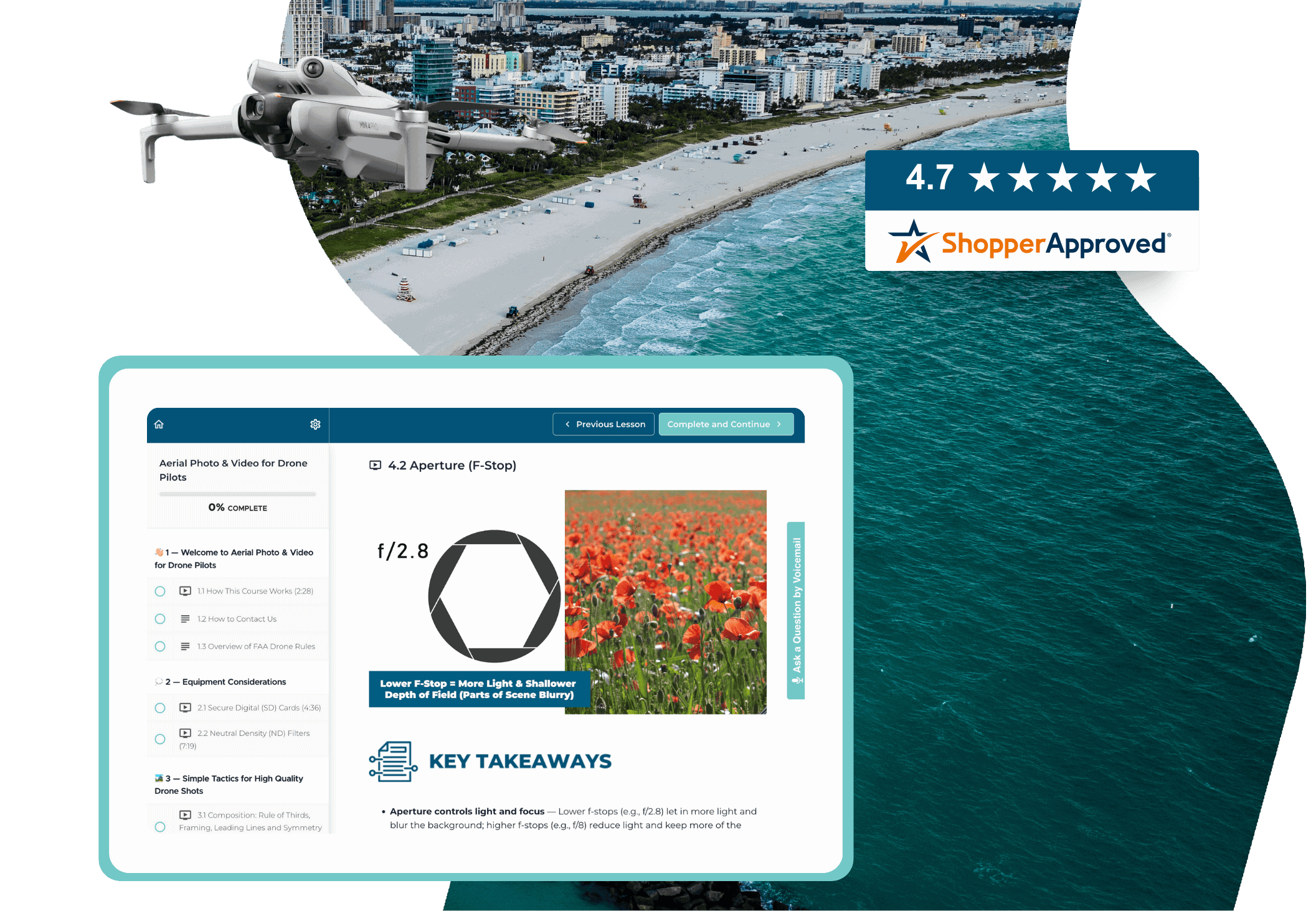
Unlike generic photo & video courses, this one is built for drone cameras.

Learn to edit your drone footage using free and affordable tools.

Get step-by-step guidance from takeoff to final edit — no guesswork, no fluff.

Apply each lesson with hands-on exercises and real-world drone video assignments.
Welcome to Aerial Photo & Video for Drone Pilots
1.1 How this Course Works
1.2 How to Contact Us
1.3 Overview of FAA Drone Rules
Equipment Considerations
2.1 Secure Digital (SD) Cards
2.2 Neutral Density (ND) Filters
Simple Tactics for High Quality Drone Shots
3.1 Composition: Rule of Thirds, Framing, Leading Lines and Symmetry
3.2 Camera Angles, Altitude and Drone Movement
3.3 The Power of Lighting
3.4 Practical Exercises & Next Step
Drone Photography – Understanding Your Settings
4.1 General Camera Settings
4.2 Aperture (F-Stop)
4.3 Shutter Speed
4.4 ISO
4.5 Practical Exercises & Next Steps
Drone Photography – Leveling Up Your Shots
5.1 High Dynamic Range (HDR) and Auto Exposure Bracketing (AEB)
5.2 How to Take Panorama Photos
5.3 How to Take Drone Photos at Night
5.4 Practical Exercises & Next Steps
Drone Photography – Learning Post-Production
6.1 Choosing Your Photo Editing Software
6.2 Full Editing Workflow – Snapseed
6.3 Full Editing Workflow – Photopea
6.4 Full Editing Workflow – Adobe Lightroom
6.5 Practical Exercises & Next Step
Drone Videography – Understanding Your Settings
7.1 General Video Settings
7.2 How to Slow Down Your Controls for Smoother Shots
7.3 Practical Exercises & Next Steps
Drone Videography – Leveling Up Your Shots
8.1 How to Use Intelligent (Automated) Flight Modes
8.2 Pros & Cons of Shooting in 4K
8.3 How to Capture Sunrises and Sunsets
8.4 How to Take Hyperlapse Videos
8.5 Practical Exercises & Next Steps
Drone Videography – Learning Post-Production
9.1 Choosing Your Video Editing Software
9.2 Full Editing Workflow – LightCut
9.3 Storyboarding & Basic Editing Techniques – Premiere Pro
9.4 Color Correction & Grading – Premiere Pro
9.5 Titles, Logos and Other Graphic Elements – Premiere Pro
9.6 Music & Sound Effects – Premiere Pro
9.7 Presets & Keyboard Shortcuts – Premiere Pro
9.8 Practical Exercises & Next Steps
ABOUT THE COURSE
To get the most out of this course, you need to have access to a drone with a camera.
In this course, we’ll share free and paid tools for your editing needs.
The course is self-paced, so you can start it anytime and take as long as you need to complete it.
You will have lifetime access.
The course is 100% online. As soon as you sign up, you will be able to see the entire course. You can access the lessons anytime, anywhere – on your desktop, tablet or phone.
PAYING FOR THE COURSE
Contact us at 888-626-1490 or enroll@uavcoach.com, and we’ll send an invoice to you and/or the appropriate person in your organization. We accept payments by credit card, ACH, PayPal and check.
We’re happy to accept POs and can complete any vendor paperwork necessary.
If your organization is tax-exempt, please email a copy of your state-issued tax-exempt form to enroll@uavcoach.com, including the number of people you wish to enroll.
Send a quick email, including a copy of your purchase receipt and your state sales tax exemption certificate, to enroll@uavcoach.com. A sales tax refund will be issued within 7 days.
CUSTOMER SUPPORT