TABLE OF CONTENTS

Drone Videography: A Step-by-Step Guide to Help You Get Started

aerial-drone-videography-tips

Want to learn about drone videography?

Then you’ve come to the right place. This in-depth guide to aerial videography takes you through seven key steps to help you get up to speed.

Learning to take buttery-smooth footage can take some time, as can the editing/post-production process. But stick with it and you’ll be producing professional-quality drone videos in no time.


Want to accelerate your learning? Check out Aerial Photo & Video for Drone Pilots—Whether you’re looking to enhance your hobby or build a business, this course covers everything from camera settings to post-production techniques.

Check out the course here—and use code DRONE50 for $50 off.

Aerial Photo & Video for Drone Pilots – Your Free Lesson Preview

Alright, let’s dive into the training tips, which we’ve organized into the following chapters:

[Want to become a commercial drone pilot? Learn how to get your FAA drone license.]

01 CHAPTER

Know the Rules

If you’re doing drone photography and videography in the U.S. you’ll need to fly either as:

Not flying in the U.S.? Here’s a directory of global drone laws.

How to Decide

Are you flying for work or for fun?

  • Flying for work falls under Part 107 rules. Any work with a drone, including work done as a trade or barter, requires a Part 107 license. This means that most people doing aerial videography will be flying under the Part 107 rules. Learn about our Part 107 test prep course here.
  • Flying for fun falls under recreational rules. If you’re just doing drone videography for fun—to document your travels, or your extreme sports hobby, for example—then you should be fine flying as a recreational pilot. We are a trusted FAA partner for the TRUST, a free, required test for flying as a recreational drone pilot. Learn about the TRUST here.

Additional Resources

Watch this video to learn more about current rules and regulations:

2025 Drone Rules You Need to Know!


02 CHAPTER

Master the Art of Flight

It’s important to develop a strong command of manual flight proficiency using the four joystick movements of thrust, yaw, pitch, and roll.

Watch this video to see the beginner exercises we recommend when you’re first learning to fly, and keep reading for more guidance.
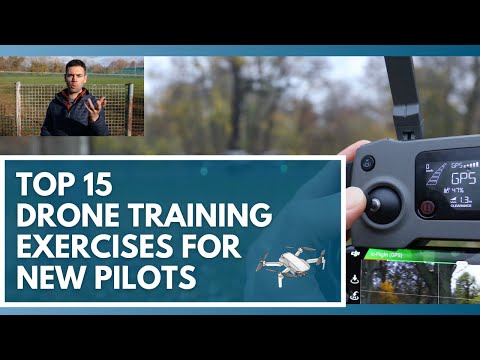
Use These 15 Drone Training Exercises to Learn How to Fly a Drone

Here are the main training exercises our instructors do with our hands-on drone flight training students to practice manual flight proficiency:

  • Take off and hover at eye-level. Look not just at the drone but down at the screen to see what our signal strength looks like, what flight mode we’re in, and how much estimated battery we have. Look and listen for any abnormalities before proceeding.
  • Yaw like a clock. Using your left thumb, push it slowly to the left and right, trying to position the nose of the aircraft at different ‘times,’ like 10 and 2, and then a more extreme 9 and 3. Practice yawing back and forth between each one to develop some muscle memory. Finally, try a full 360° degree yaw to the left and then one to the right.
  • Fly a square (no yaw). Try it just with the right thumb and practice pitching and rolling smoothly in a square. Try flying the square in both directions.
  • Fly a circle (no yaw). The same idea as the square, except that instead of a rigid flight path with distinct turns, you’re flying in a smoother, circular pattern. Again, just try this with the right thumb where you’re keeping the nose pointed away from you at all times. Try flying the circle in both directions.
  • Out-and-back. Fly out away from yourself, rotate the multirotor 180°, and then practice flying back towards you and landing. Remember that as you fly back towards yourself with the nose of the multirotor pointing towards you that your controls will be inverted. With enough practice, you’ll be able to fly just as well inverted as you can in normal, nose-forward orientation.
  • Fly a square (with yaw). With this square pattern, you’re rotating 90° at each of the square’s turns, which means you’re pointing the nose of your multirotor in the same direction that you’re flying. Fly the square in both directions.
  • Fly at max altitude. It’s helpful to get a sense of what flying at 400 ft. AGL feels like. Bring the drone straight up to 400 ft. AGL. Yaw around a bit and move the camera to explore the surrounding landscape.

Pro Tip: Slow Down, Tiger

As a newer drone pilot, one of the more challenging aspects of drone flight proficiency that you face is super slow and steady movements. Learning to move your joysticks and to tilt the gimbal at a slow and constant velocity can take some time to develop.

All this to say, when you’re practicing the shots above, try doing so as slowly and cinematically as possible.

More Resources for Learning How to Fly

Want some more resources for getting started with your drone? Here you go:

How to Fly a Drone for the First Time in 3 Minutes!

New to Drones? Learn the Basic Flight Controls Fast!
03 CHAPTER

Drone Videography 101

After you feel comfortable with the basics of flying, it’s time to start building up your aerial videography chops.

Watch the video below for a walk through of the beginner exercises we recommend when you’re first starting out with aerial videography, and keep reading for more guidance.

Drone Videography 101: BEGINNERS START HERE!

And once you feel comfortable with the basics, try practicing some of these basic aerial drone videography shots:

  • The pan. Pick a fixed object to shoot, and slowly pan from left to right in a straight line
  • The forward reveal. Fly forward and slowly tilt your camera up or down to reveal an object/landscape
  • The dronie. Start by hovering at eye-level. Have the nose of the aircraft (and camera) face you, then slowly fly backward (inverted) and upward. This is harder than it looks! You’ve got to not only fly back and up at the same time, but you need to control the camera to stay fixed on yourself.
  • The orbit. Circle around a fixed point (can be you, or a tree, or some other object). Like flying a dronie, this shot requires delicate use of both joysticks at the same time. This is a classic ‘epic’ movie shot, like in Lord of the Rings where Frodo and friends are running along a cliff.
  • The birds-eye-view shot. If you plan to do any kind of aerial drone videography, this is a nice shot to have in your wheelhouse. In a birds-eye-view shot, you position your gimbal to face downward, and you slowly throttle up. As you gain elevation, yaw ever-so-slightly. This adds a nice dramatic effect to the shot without being too dizzying.

Once you start getting the hang of these shots, move on to these:

Top 5 Cinematic Drone Shots You NEED to Try!
04 CHAPTER

Master Your Flight Software

For a number of reasons, it’s important to learn to fly your drone manually.

But it’s also important to gain mastery of your drone’s Intelligent Flight Modes. These modes help to reduce the pilot workload and to obtain performance characteristics that might not be possible or extremely difficult in manual flight.

As an example, DJI drones offer Intelligent Flight Modes that can be extremely helpful to aerial videographers. Here are a few of our favorites:

  • Tripod/Cinematic Mode.Great for slow and smooth shots; mutes the controls and slows everything down
  • Course Lock. One of my favorite flight modes; by activating Course Lock, the controls will be set to be relative to your aircraft’s current path. This easy navigation allows you to fly in a set direction as you fly alongside moving objects or across scenes
  • Point of Interest. Set a specific building, object, or location as the “point of interest” and the aircraft will continuously circle around it as you record photos / videos.
  • Waypoints. You can set multiple GPS points, and then the aircraft will automatically fly to each point while you control the camera (many folks like using other apps like Litchi for this)
  • Follow Me/ActiveTrack. Grab a friend and practice some good ‘ole fashioned subject-tracking

Learn more about DJI’s Intelligent Flight Modes:

LEARN DJI Intelligent Flight Modes Pt. 1

Pro Tip: Practice Return-to-Home (RTH)

Return-to-Home (RTH) is a great safety feature, but it’s also one of the top reasons new drone pilots crash. It’s really important to read your drone’s user manual and to understand how Return-to-Home is triggered and programmed.

When you’re flying a DJI drone, for example, RTH can be triggered in one of three ways:

  • Manually by pressing the button in the app or on the transmitter
  • When the battery drops to a certain level
  • When the drone loses its RF connection to the remote control

And you need to understand how to set your RTH point, how dynamic RTH works, and how to pre-program your RTH altitude.

And for what it’s worth, I don’t typically like to land in RTH mode. I’ll let RTH bring the drone back to about 20-30 feet above my RTH point/landing zone, and then I’ll switch back over to manual controls to land. That can be a great thing to practice as well.

05 CHAPTER

Understand the Principles of Filmmaking

At the end of the day, a drone is simply a tool. If you don’t know how to use the tool, you’ll be limited in how far you’re able to take your drone videography.

Learning to think like a filmmaker, from building a storyboard and repertoire of shots and understanding how they can add drama or interest to your story — that’s what will set you apart from the rest of the pack.

In our Aerial Photo & Video for Drone Pilots course, you’ll learn simple tactics for high quality drone shots, how to understand your settings, a full walkthrough the post-production process and so much more.

Pro Tip: Embrace the Simplicity

The vast majority of drone videography and aerial cinematography coming out of Hollywood is quite simple. There might be a slight motion from the drone and maybe a subtle gimbal tilt or rotation, but the real beauty of the shot comes from tactics like:

  • The suspense of not revealing the subject in the first frame
  • The creative decision to point the camera toward or away from the sun
  • The depth created by having layers in the composition between the camera and the subject

There’s always going to be a better drone or a stronger camera. You don’t need the latest and greatest system to produce professional work.

But you DO need to learn to think like a filmmaker, so start practicing!

Pro Tip: Essential Drone Cinematography Shots

Here’s a list of the most common drone videography shots to start honing and working into your repertoire as a professional drone cinematographer:


06 CHAPTER

Plan Your Flight Shoots Like a Pro

So you’ve been building your repertoire of different drone shots, thinking like a filmmaker, practicing your Intelligent Flight Modes and developing a strong command of your local drone laws.

When you think about planning for and completing a drone mission, there are a few different workflows to consider, usually in this order:

  • Airspace planning. Researching airspace / regulatory approval and pre-flight mission planning (i.e., do you need LAANC authorization for your flight?)
  • Gear preparation. Gathering gear, formatting SD cards, charging batteries, etc.
  • Weather and on-the-ground checks. Checking weather conditions and local obstructions/flight considerations
  • Pre-flight inspection. Inspecting your system and following a pre-flight checklist
  • Flight mission. Capturing the right combination of photos/videos/data for your mission
  • Safe landing.  Landing, powering down, packing up, and properly storing your gear
  • Post-production. Editing your photos, videos, or data

As you conduct more and more flight missions, you’ll get a better feel for your own processes, specifically when it comes to pre-mission planning and airspace research.

Example DJI Pre-Flight Checklist

To quote the Part 107 regulations, “a remote pilot-in-command must conduct a preflight inspection to include specific aircraft and control station systems checks and to ensure the small UAS is in a condition for safe operation.”

While there’s no one catch-all pre-flight checklist that’ll work for every pilot and every drone model, hopefully, the below list helps you better understand the best practices around powering up your drone and taking to the skies.

First, let’s assume:

  • You’ve done the appropriate airspace research and secured any authorizations/waivers or local permissions if needed.
  • You have a list of shots/data you’re looking to capture and have thought through how you’ll be spending time in the air.
  • You’re mentally and physically fit to fly.
  • Everything is fully charged and your SD cards are formatted.
  • Your system’s firmware is up-to-date.

Here’s a checklist of things to consider as part of your pre-flight ritual. Again, these are not exhaustive and might change depending on the specific model you’re operating and the type of flight missions you’re conducting.

WEATHER & SITE SAFETY CHECK

  • Chance of precipitation less than 10%
  • Wind speed under 15 knots (less than 20 mph)
  • Cloud base at least 500 feet
  • Visibility at least 3 statute miles (SM)
  • If flying at dawn/dusk, double-check civil twilight hours
  • Establish take-off, landing, and emergency hover zones
  • Potential for electromagnetic interference?
  • Look for towers, wires, buildings, trees, or other obstructions
  • Look for pedestrians and/or animals and set up safety perimeter if needed
  • Discuss flight mission with other crew members if present

VISUAL AIRCRAFT / SYSTEM INSPECTION

  • The registration number is displayed properly and is legible
  • Look for abnormalities—aircraft frame, propellers, motors, undercarriage
  • Look for abnormalities—gimbal, camera, transmitter, payloads, etc.
  • Gimbal clamp and lens caps are removed
  • Clean lens with a microfiber cloth
  • Attach propellers, battery/fuel source, and insert SD card/lens filters

POWERING UP

  • Turn on transmitter/remote control and open up DJI Go 4 app
  • Turn on aircraft
  • Verify established connection between transmitter and aircraft
  • Position antennas on transmitter toward the sky
  • Verify the display panel/FPV screen is functioning properly
  • Calibrate Inertial Measurement Unit (IMU) as needed
  • Calibrate compass as needed
  • Verify battery/fuel levels on both transmitter and aircraft
  • Verify that the UAS has acquired GPS location from at least six satellites
  • Check for any other system alerts

TAKING OFF

  • Take-off to eye-level altitude and hover for about 10-15 seconds
  • Look for any imbalances or irregularities
  • Listen for abnormal sounds
  • Pitch, roll, and yaw to test control response and sensitivity
  • Check for electromagnetic interference or other software warnings
  • Do one final check to secure the safety of flight operations area
  • Proceed with flight mission
07 CHAPTER

Fly through Your Shots

This is a short chapter—but an important tip!

Ideally, your flight path and video recording start well before your intended shot (and end well after). This is called “flying through the shot.”

Doing so will not only offer more editing room on the front and back-end of each shot, but the pacing will help you start to think and act more like a professional filmmaker.

08 CHAPTER

Edit Like a Post-Production Wizard

Shooting buttery-smooth raw footage is only half the battle. Post-production is where the real magic happens. Learning how to color correct grade your shots is one element of that.

Here’s a color grading tutorial you may find helpful:

Again, if you’re looking to fast-track your post-production skills, we highly recommend enrolling in our online course, Aerial Photo & Video for Drone Pilots. In the Video Post-Production module, we’ll help you choose the right editing software and give you a full editing walkthrough on a couple of our favorites.

While free or low-cost video editing software (iMovie, Blender, Lightworks, etc.) is a great way to practice, we ultimately recommend something more professional like Apple’s Final Cut Pro, Adobe Premiere, or DaVinci Resolve.

Join a global community of

100,000+

drone enthusiasts.

Subscribe

Drone Pilot's Guide to DJI Mini 4 Pro

  • Navigate the DJI Fly app and flight modes with ease
  • Adjust camera and safety settings for better control
  • Understand intelligent flight features and how to use them
  • Avoid common beginner mistakes
  • Get the most out of your drone—without the guesswork

Drone Pilot's Guide to DJI Air 3S

  • Navigate the DJI Fly app and flight modes with ease
  • Adjust camera and safety settings for better control
  • Understand intelligent flight features and how to use them
  • Avoid common beginner mistakes
  • Get the most out of your drone—without the guesswork

Hands-On Flight Training

$295

400+ 5-Star Reviews

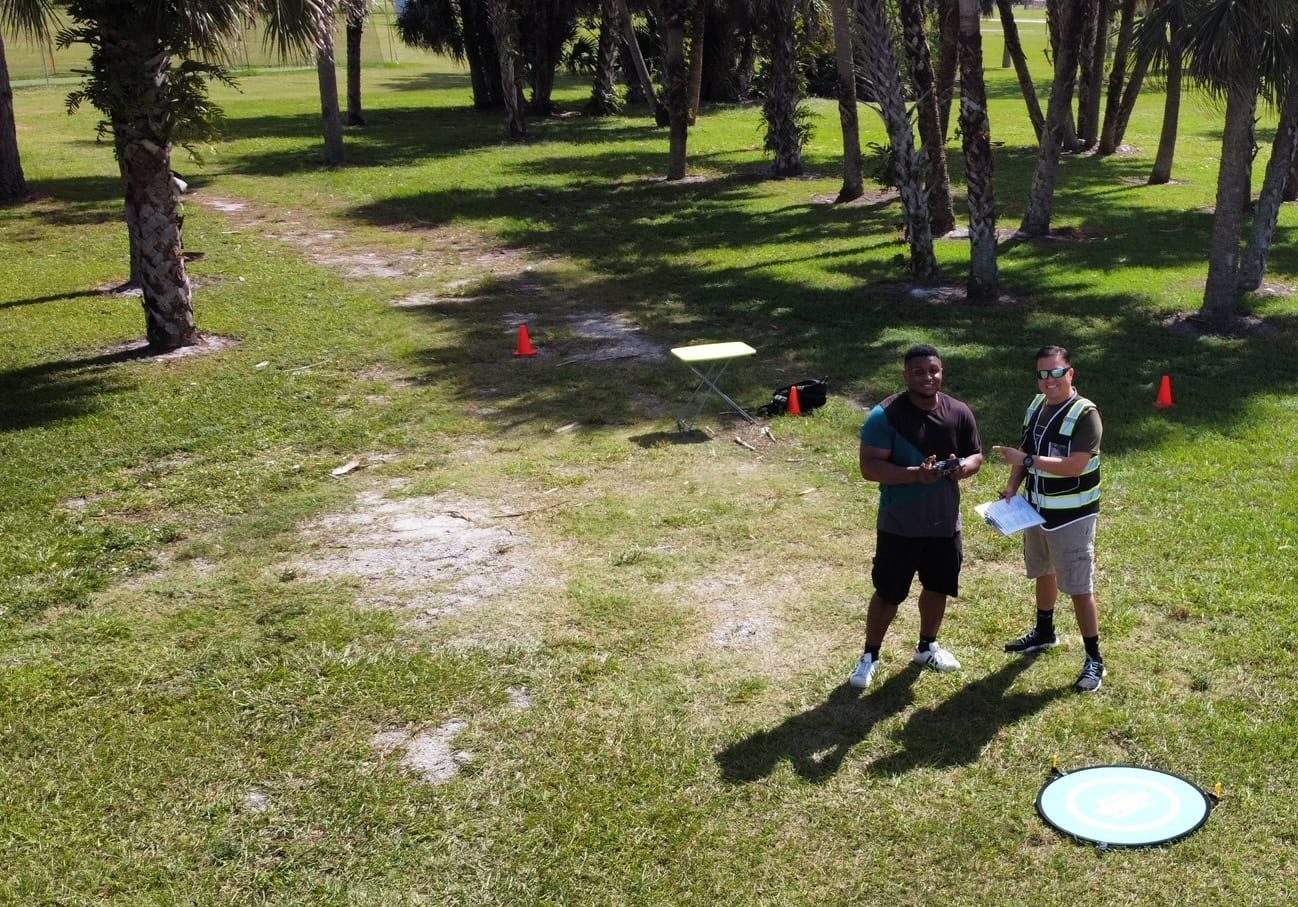
  • Team up with a knowledgeable, friendly instructor at a convenient outdoor spot — like a park or athletic field
  • Fly a top-rated drone provided for you, or bring your own to get personalized guidance
  • Spend most of your time in the air with hands-on practice — learning about composition, camera angles and cinematic motion
  • Explore the DJI Fly app and learn how to use camera settings like ISO, shutter speed and aperture
  • Unlock the power of Intelligent Flight Modes to fly smoother, smarter, and with less stress
  • Get access to our Aerial Photo & Video online course with additional exercises and pro-level editing workflows – using Snapseed, Photopea, Adobe Lightroom, DJI LightCut, and Premiere Pro

Aerial Photo & Video for Drone Pilots

$179

3,500+ 5-Star Reviews

  • How to dial in the right camera settings like ISO, shutter speed, and aperture
  • The best angles & altitudes for different types of shots (real estate, landscapes, cityscapes, and more)
  • The secret to cinematic drone motion that makes your footage feel like a Hollywood movie
  • How to enhance colors, remove distractions, and sharpen details – even in tricky lighting
  • Pro-level editing workflows – whether you’re using Lightroom, free tools, or mobile apps

The Recreational UAS Safety Test

Free

150+ 5-Star Reviews

  • Required for U.S. recreational flyers of drones
  • Launched June 2021 by the FAA
  • Takes about 30 minutes to complete
  • No prior drone knowledge needed
  • Test allows unlimited attempts to pass

Drone Mapping Essentials Workshop

$799

3,500+ 5-Star Reviews

  • Expert instruction from expert drone pilots with over 100 hours of flying experience
  • Hands-on training of live data capture and how to process deliverables for your clients
  • Peer-to-peer networking with other professional drone pilots in the mapping industry
  • Free access to the online course, Drone Mapping Essentials

Flight Skills for Drone Pilots

$99

75+ 5-Star Reviews

  • 16 engaging video lectures with key takeaways
  • Action items with concrete steps so you put into practice what you learn
  • Pre-flight checklists to help you plan your flights
  • Resource links to websites, products and software for further learning and discovery

Drone Business & Mapping Bundle

$617 $397

3,500+ 5-Star Reviews

  • Drone Pilot Ground School
    1. 1:1 support with a Part 107 exam success coach
    2. Study 100% online at your own pace
    3. Unlimited practice exams with 400+ real FAA test questions
  • Drone Mapping Essentials
    1. 100+ instructional videos focused on real-world application with high-quality videos
    2. Downloadable resources like data capture checklists to utilize in your missions
    3. Monthly live instruction with course instructor, Dylan Gorman, to go deeper on topics where you need more clarification
  • The Drone Business Blueprint
    1. Expert instruction from industry veteran, Eno Umoh, who brings real-world experience in building successful drone businesses.
    2. 14 Comprehensive modules covering everything from business setup to marketing strategies
    3. 30 Downloadable resources to apply your learning immediately

Hands-On Flight Training

$295

400+ 5-Star Reviews

  • 45-60 minutes of hands-on flying time to master orientation and flight maneuvers tailored to your skill level
  • Learn how to handle obstacles such as lost GPS, low battery charge or emergencies
  • Practice flying under various intelligent flight modes
  • Ask questions about regulations, software, flight operations management, and more

The Drone Business Blueprint

$119

3,500+ 5-Star Reviews

  • Expert instruction from industry veteran, Eno Umoh, who brings real-world experience in building successful drone businesses.
  • 14 Comprehensive modules covering everything from business setup to marketing strategies
  • 30 Downloadable resources to apply your learning immediately
  • AI tools and techniques to boost productivity and streamline your operations

Commercial Drone Business Bundle

$418 $334

4,000+ 5-Star Reviews

  • Drone Pilot Ground School
    1. 1:1 support with a Part 107 exam success coach
    2. Study 100% online at your own pace
    3. Unlimited practice exams with 400+ real FAA test questions
  • The Drone Business Blueprint
    1. Expert instruction from industry veteran, Eno Umoh, who brings real-world experience in building successful drone businesses.
    2. 14 Comprehensive modules covering everything from business setup to marketing strategies
    3. 30 Downloadable resources to apply your learning immediately

Drone Mapping Essentials

$199

3,500+ 5-Star Reviews

  • 100+ instructional videos focused on real-world application with high-quality videos
  • Downloadable resources like data capture checklists to utilize in your missions
  • Quizzes to test your knowledge so you can succeed in the field
  • Monthly live instruction with course instructor, Dylan Gorman, to go deeper on topics where you need more clarification

Drone Pilot Pro Bundle

$713 $499

3,500+ 5-Star Reviews

  • Drone Pilot Ground School
    1. 1:1 support with a Part 107 exam success coach
    2. Study 100% online at your own pace
    3. Unlimited practice exams with 400+ real FAA test questions
  • Drone Pilot Skill Builder
    1. 16 engaging video lectures with key takeaways
    2. Action items with concrete steps so you put into practice what you learn
  • Hands-On Flight Training
    1. 45-60 minutes of hands-on flying time to master orientation and flight maneuvers tailored to your skill level

Drone Pilot Ground School

$299

4,000+ 5-Star Reviews

  • 1:1 support with a Part 107 exam success coach
  • Study 100% online at your own pace
  • Unlimited practice exams with 400+ real FAA test questions
  • Personalized study plans, virtual flashcards, and 12-page cram sheet
  • Weekly webinars on acing the Part 107 exam and monthly webinars to elevate your journey post-certification